


Page 1 - Demo
P. 1
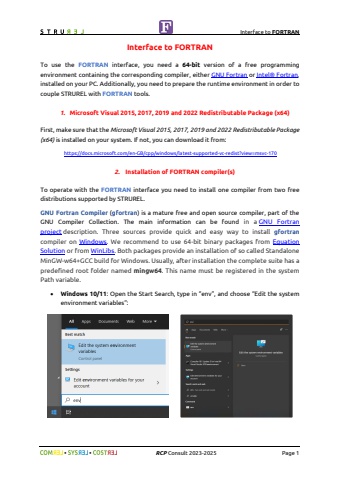
Interface to FORTRAN%uf09f %uf09f RCP Consult 2023-2026 Page 1Interface to FORTRANTo use the FORTRAN interface, you need a 64-bit version of a free programming environment containing the corresponding compiler, either GNU Fortran or Intel%u00ae Fortran, installed on your PC. Additionally, you need to prepare the runtime environment in order to couple STRUREL with FORTRAN tools.1. Latest supported Redistributable Package (x64) for Visual Studio 2015%u20132026First, make sure that the Redistributable Package (x64) for Visual Studio 2015-2026 is installed on your system. If not, you can download it from: https://docs.microsoft.com/en-GB/cpp/windows/latest-supported-vc-redist?view=msvc-170 2. Installation of FORTRAN compiler(s)To operate with the FORTRAN interface you need to install one compiler from two free distributions supported by STRUREL.GNU Fortran Compiler (gfortran) is a mature free and open source compiler, part of the GNU Compiler Collection. The main information can be found in a GNU Fortran project description. Three sources provide quick and easy way to install gfortrancompiler on Windows. We recommend to use 64-bit binary packages from Equation Solution or from WinLibs. Both packages provide an installation of so called Standalone MinGW-w64+GCC build for Windows. Usually, after installation the complete suite has a predefined root folder named mingw64. This name must be registered in the system Path variable.%u2022 Windows 10/11: Open the Start Search, type in %u201cenv%u201d, and choose %u201cEdit the system environment variables%u201d:


