


Page 16 - Demo
P. 16
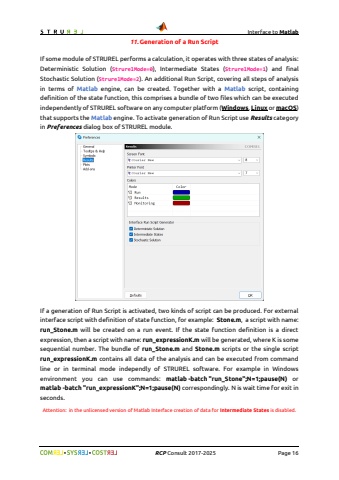
Interface to Matlab%uf09f %uf09f RCP Consult 2017-2026 Page 1611. Generation of a Run ScriptIf some module of STRUREL performs a calculation, it operates with three states of analysis: Deterministic Solution (StrurelMode=0), Intermediate States (StrurelMode=1) and final Stochastic Solution (StrurelMode=2). An additional Run Script, covering all steps of analysis in terms of Matlab engine, can be created. Together with a Matlab script, containing definition of the state function, this comprises a bundle of two files which can be executed independently of STRUREL software on any computer platform (Windows, Linux or macOS) that supports the Matlab engine. To activate generation of Run Script use Results category in Preferences dialog box of STRUREL module.If a generation of Run Script is activated, two kinds of script can be produced. For external interface script with definition of state function, for example: Stone.m, a script with name: run_Stone.m will be created on a run event. If the state function definition is a direct expression, then a script with name: run_expressionK.m will be generated, where K is some sequential number. The bundle of run_Stone.m and Stone.m scripts or the single script run_expressionK.m contains all data of the analysis and can be executed from command line or in terminal mode independly of STRUREL software. For example in Windows environment you can use commands: matlab -batch \matlab -batch \seconds.Attention: in the unlicensed version of Matlab Interface creation of data for Intermediate States is disabled.


