


Page 10 - Demo
P. 10
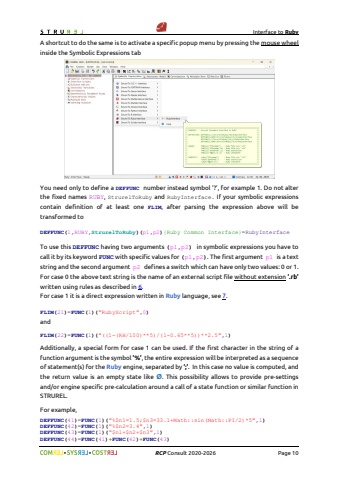
Interface to Ruby%uf09f %uf09f RCP Consult 2020-2026 Page 10A shortcut to do the same is to activate a specific popup menu by pressing the mouse wheelinside the Symbolic Expressions tabYou need only to define a DEFFUNC number instead symbol %u2018?%u2019, for example 1. Do not alter the fixed names RUBY, StrurelToRuby and RubyInterface. If your symbolic expressions contain definition of at least one FLIM, after parsing the expression above will be transformed toDEFFUNC(1,RUBY,StrurelToRuby)(p1,p2){Ruby Common Interface}=RubyInterfaceTo use this DEFFUNC having two arguments (p1,p2) in symbolic expressions you have to call it by its keyword FUNC with specific values for (p1,p2). The first argument p1 is a text string and the second argument p2 defines a switch which can have only two values: 0 or 1. For case 0 the above text string is the name of an external script file without extension %u2019.rb%u2019 written using rules as described in 6.For case 1 it is a direct expression written in Ruby language, see 7.FLIM(21)=FUNC(1)(\andFLIM(22)=FUNC(1)(\Additionally, a special form for case 1 can be used. If the first character in the string of a function argument is the symbol %u2019%%u2019, the entire expression will be interpreted as a sequence of statement(s) for the Ruby engine, separated by %u2019;%u2019. In this case no value is computed, and the return value is an empty state like %u00d8. This possibility allows to provide pre-settingsand/or engine specific pre-calculation around a call of a state function or similar function in STRUREL. For example,DEFFUNC(41)=FUNC(1)(\DEFFUNC(42)=FUNC(1)(\DEFFUNC(43)=FUNC(1)(\DEFFUNC(44)=FUNC(41)+FUNC(42)+FUNC(43)


