


Page 3 - Demo
P. 3
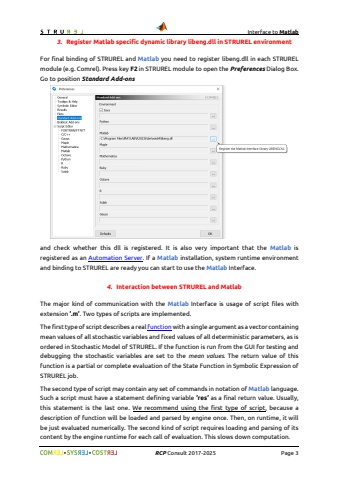
Interface to Matlab%uf09f %uf09f RCP Consult 2017-2026 Page 33. Register Matlab specific dynamic library libeng.dll in STRUREL environmentFor final binding of STRUREL and Matlab you need to register libeng.dll in each STRURELmodule (e.g. Comrel). Press key F2 in STRUREL module to open the Preferences Dialog Box. Go to position Standard Add-onsand check whether this dll is registered. It is also very important that the Matlab is registered as an Automation Server. If a Matlab installation, system runtime environment and binding to STRUREL are ready you can start to use the Matlab Interface.4. Interaction between STRUREL and MatlabThe major kind of communication with the Matlab Interface is usage of script files with extension %u2019.m%u2019. Two types of scripts are implemented.The first type of script describes a real function with a single argument as a vector containing mean values of all stochastic variables and fixed values of all deterministic parameters, as is ordered in Stochastic Model of STRUREL. If the function is run from the GUI for testing and debugging the stochastic variables are set to the mean values. The return value of this function is a partial or complete evaluation of the State Function in Symbolic Expression of STRUREL job.The second type of script may contain any set of commands in notation of Matlab language. Such a script must have a statement defining variable %u2019res%u2019 as a final return value. Usually, this statement is the last one. We recommend using the first type of script, because a description of function will be loaded and parsed by engine once. Then, on runtime, it will be just evaluated numerically. The second kind of script requires loading and parsing of its content by the engine runtime for each call of evaluation. This slows down computation.


