


Page 6 - Demo
P. 6
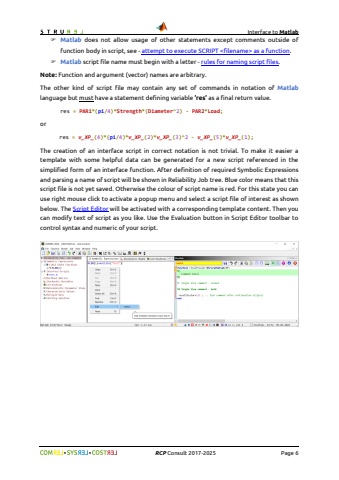
Interface to Matlab%uf09f %uf09f RCP Consult 2017-2026 Page 6%uf046 Matlab does not allow usage of other statements except comments outside of function body in script, see - attempt to execute SCRIPT as a function.%uf046 Matlab script file name must begin with a letter - rules for naming script files.Note: Function and argument (vector) names are arbitrary.The other kind of script file may contain any set of commands in notation of Matlablanguage but must have a statement defining variable %u2019res%u2019 as a final return value.res = PAR1*(pi/4)*Strength*(Diameter^2) - PAR2*Load;orres = v_XP_(4)*(pi/4)*v_XP_(2)*v_XP_(3)^2 - v_XP_(5)*v_XP_(1);The creation of an interface script in correct notation is not trivial. To make it easier a template with some helpful data can be generated for a new script referenced in the simplified form of an interface function. After definition of required Symbolic Expressions and parsing a name of script will be shown in Reliability Job tree. Blue color means that this script file is not yet saved. Otherwise the colour of script name is red. For this state you can use right mouse click to activate a popup menu and select a script file of interest as shown below. The Script Editor will be activated with a corresponding template content. Then you can modify text of script as you like. Use the Evaluation button in Script Editor toolbar to control syntax and numeric of your script.


